 Raznos
Plan: the most profitable schedule for you
Plan lays out your week on its own so your hours bring in more money. If something changes, it lets you know
How Plan builds a profitable week
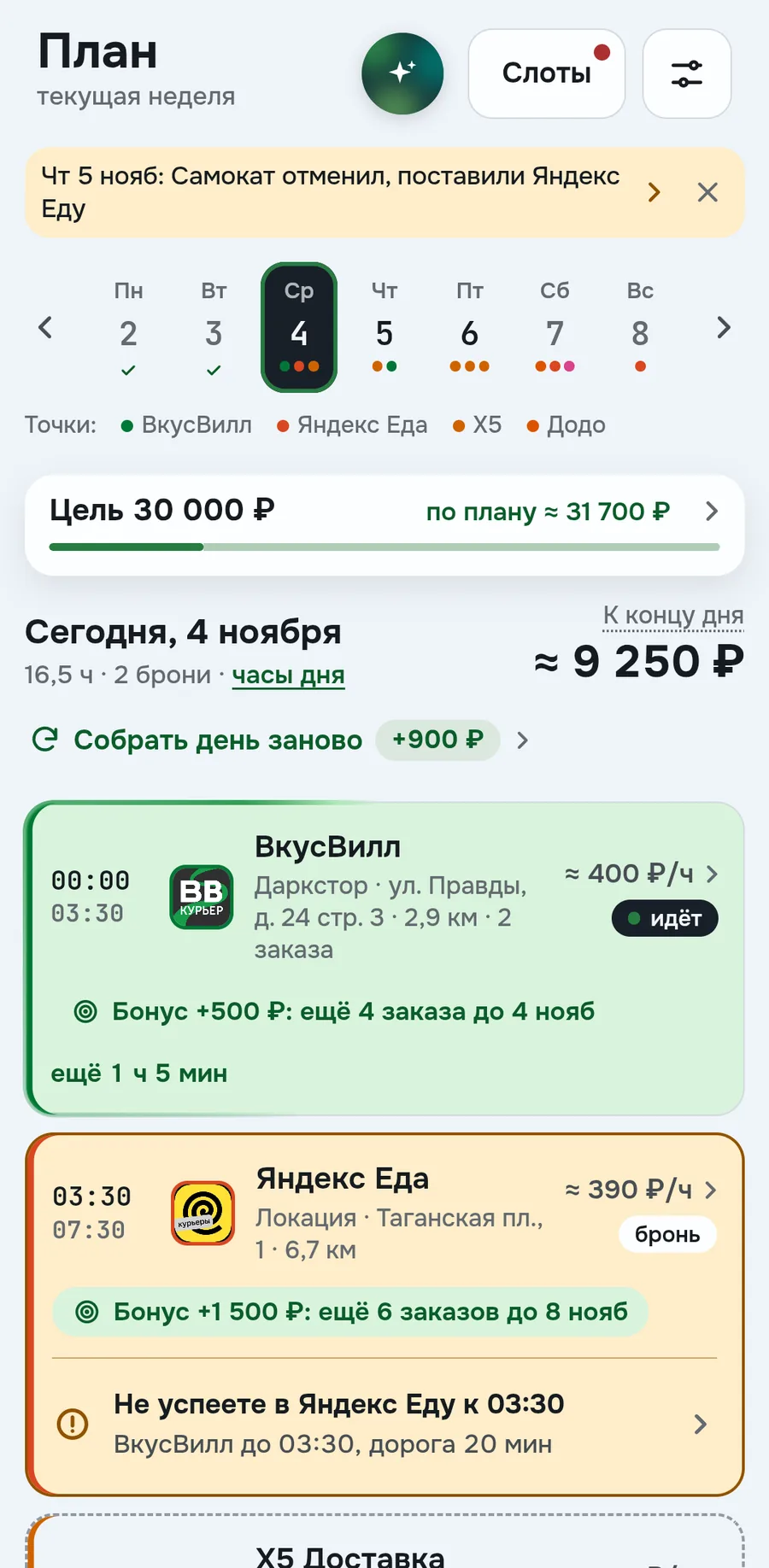
Every morning your free hours are filled with the most profitable of your services. Raznos counts how much they pay per hour near you, service bonuses and travel between shifts. Bookings, that is shifts you've already signed up for, stay in place
The day shows how much you'll make by evening, in the screenshot ≈ 9 250 ₽. A booking is filled with color, a dashed line is a window without booking, you can just go work there. An amber card with a button, for example Take in Samokat, means you first need to book in the service
A service bonus is shown right on the shift. Dots under the weekdays show where there's already work and where the day is empty
Rebuild the day if everything changed
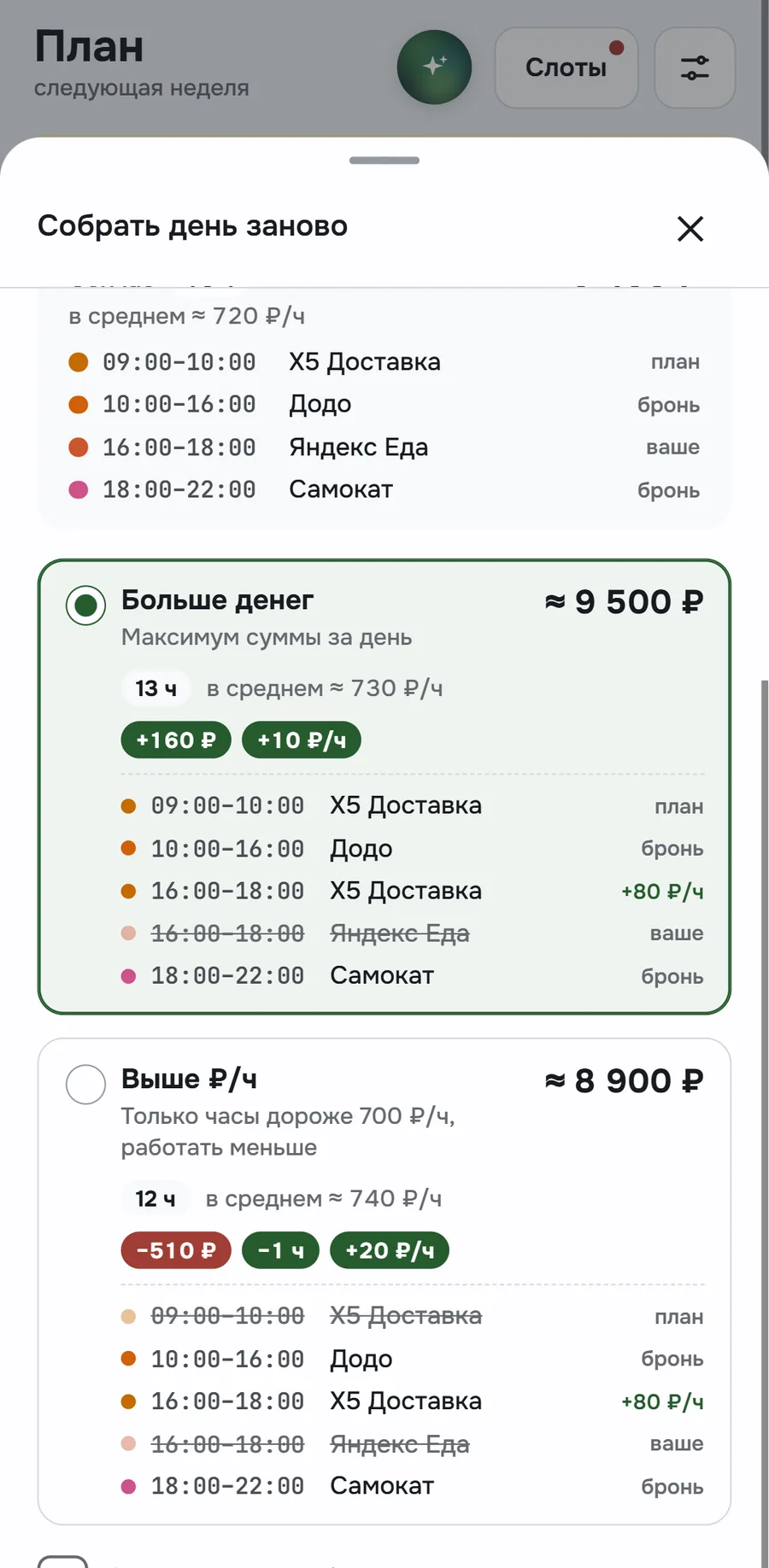
If the day has changed, you can rebuild it. The Rebuild the day button shows how much you can add and opens the options. On top, the day's hours and the services it's built from
The Most money option gives the maximum for the day, in the screenshot that's +160 ₽ to the current one. The Higher ₽/h option keeps only the best paid hours: a bit less money, but an hour less work. Each option shows which windows will change
Until you tap Apply, the day doesn't change. Bookings stay in place. Windows you added can be kept with a checkbox
Goal for the week and how much is missing
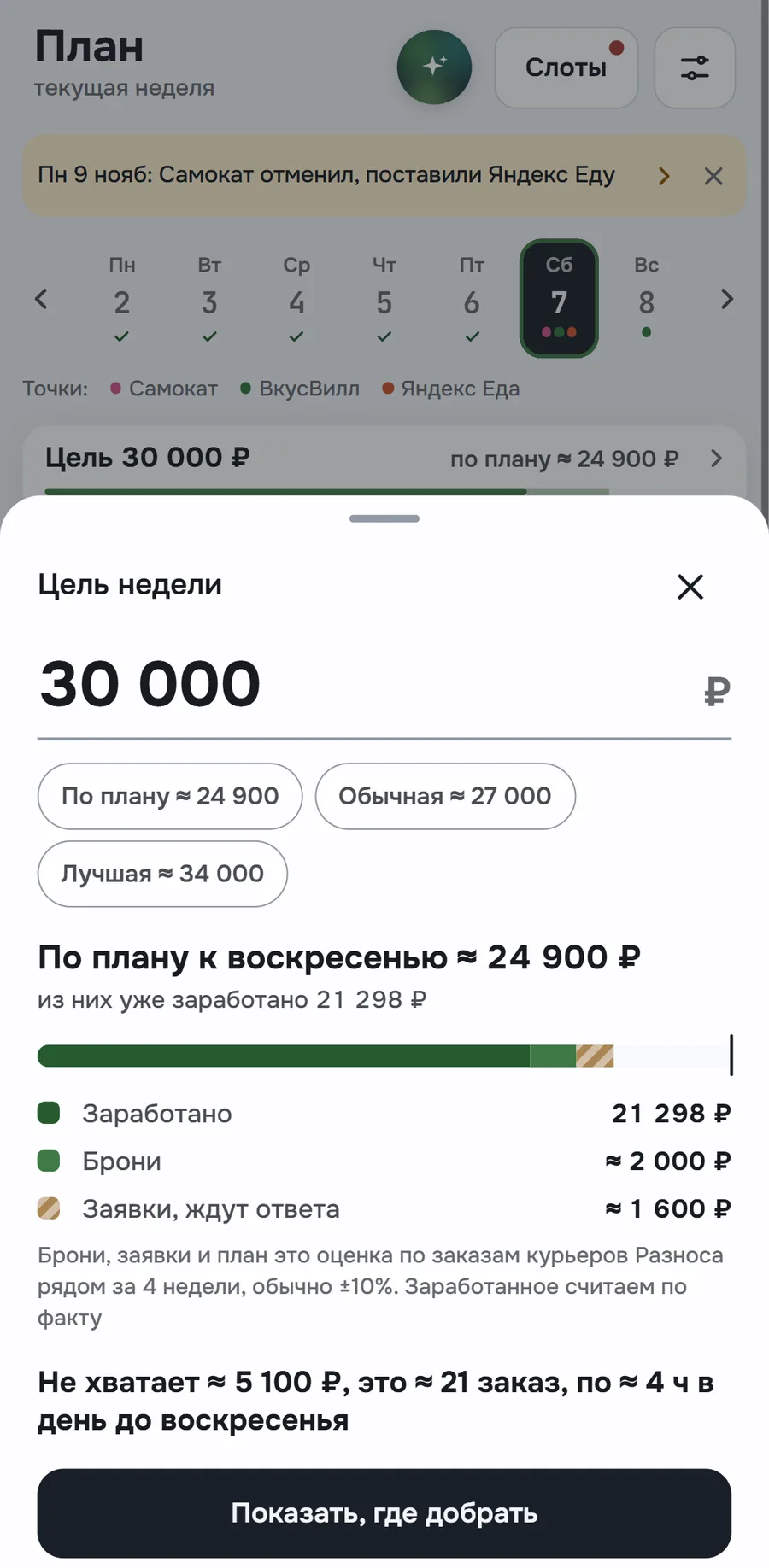
The goal shows if the week is enough for the amount you need. You set it yourself or take a suggestion: By plan, Usual or Best. The goal line at the top of Plan is green if it's enough and gray if not
Tap the goal to see what it's made of: earned, bookings and requests waiting for the service's answer (see how the numbers are calculated). Earned is counted as actual, the rest is an estimate
If it's not enough, the difference is converted into orders and hours. In the screenshot ≈ 5 100 ₽ is ≈ 21 orders. The Show where to make up the difference button opens the day with the most free time
Your workdays, hours and districts
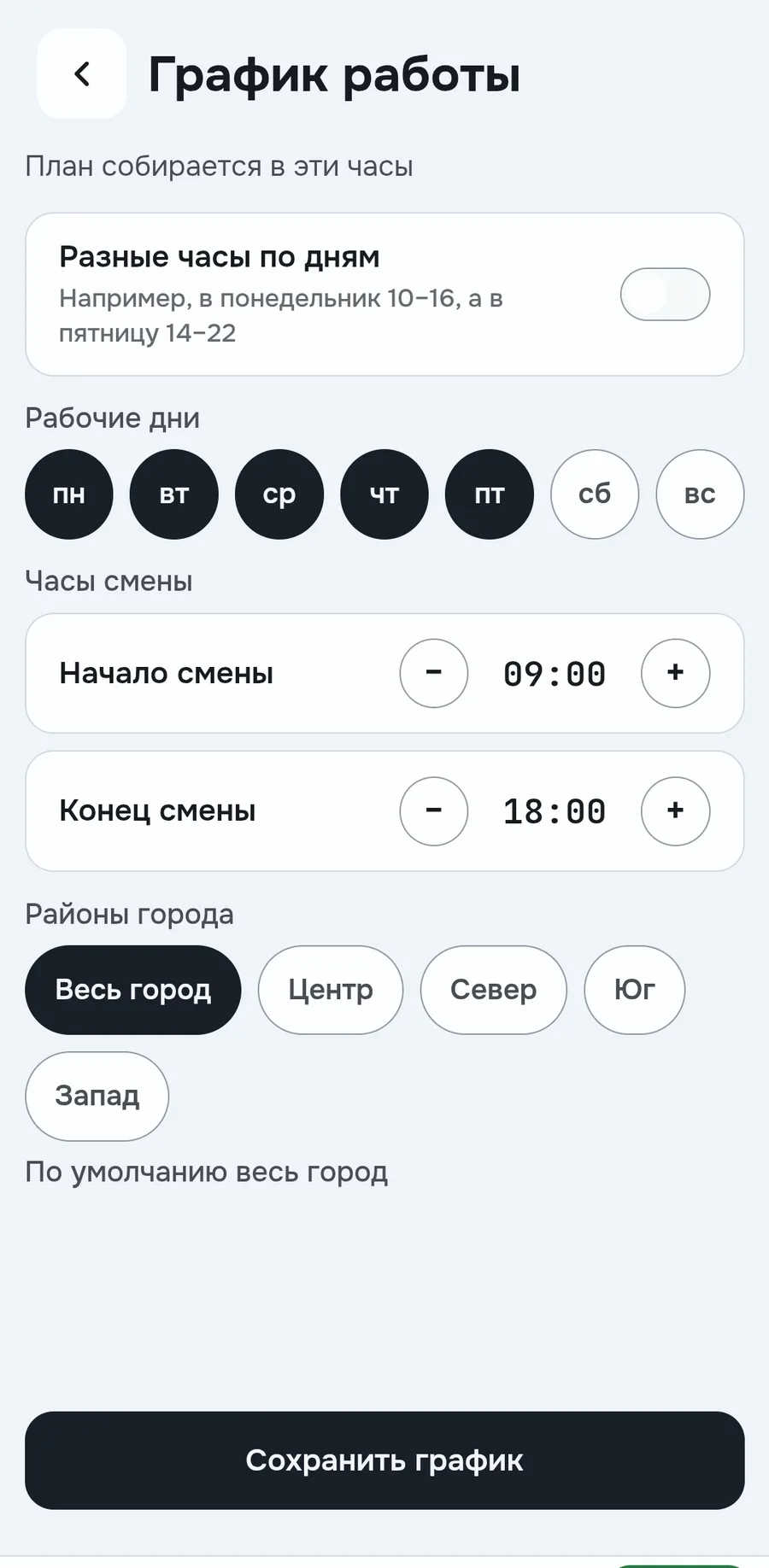
Plan is built only in your hours and your districts. You set them in Work schedule: workdays, shift start and end, districts. Until the schedule is set, it's Mon-Fri 09:00 to 18:00 across the whole city
In Plan settings you choose who builds it: Raznos or you. If you, free hours stay empty with a hint
All shifts in one place
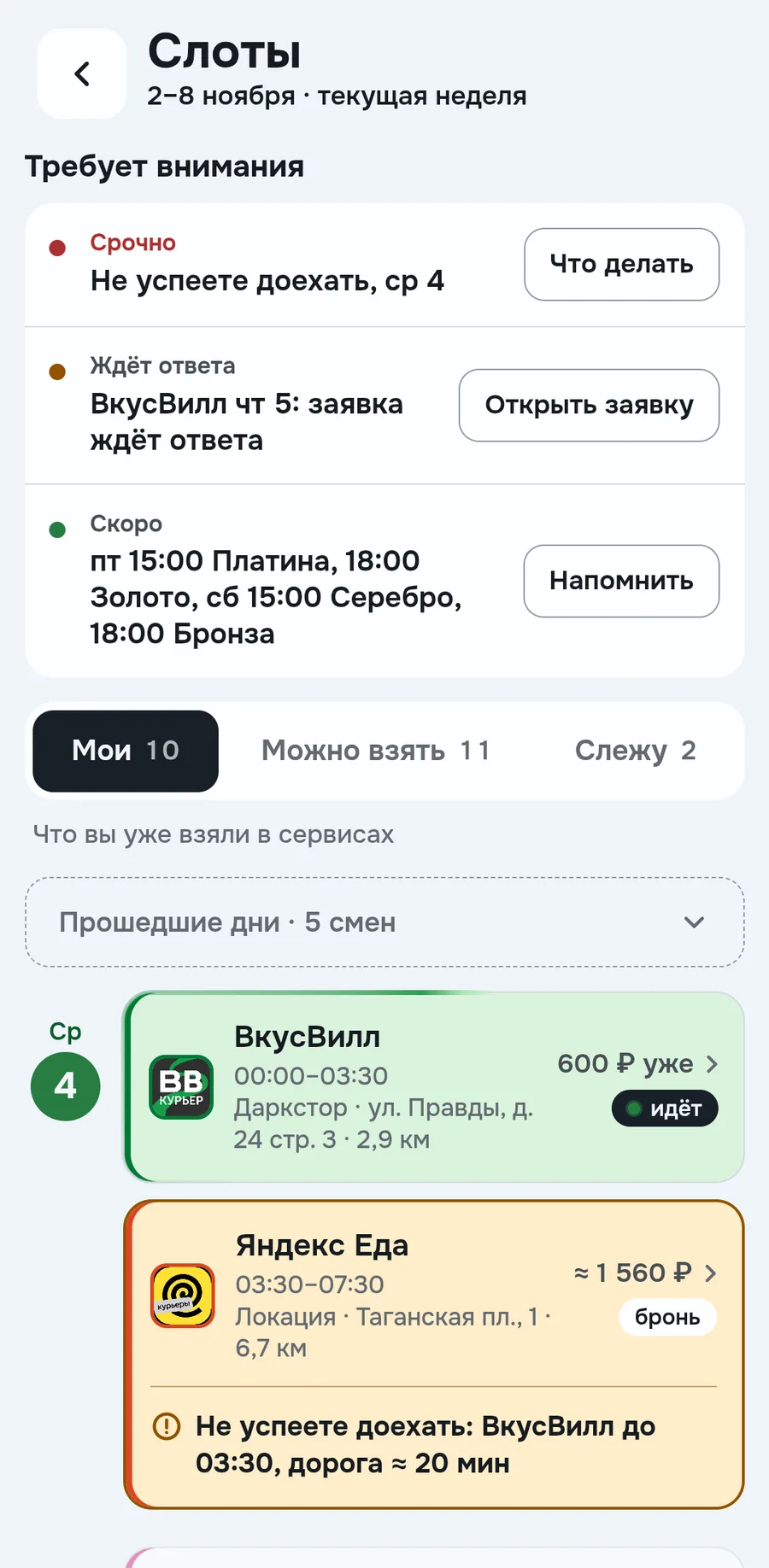
Bookings from all services are gathered into one schedule by day, on the Mine tab in Slots. No need to keep in mind where and when you're booked, and shifts from different services won't overlap
If shifts overlap or you can't get from one to the next in time, Raznos will notice. Such a shift is highlighted in amber, and at the top of Slots there's a Needs attention line, for example You will not get there in time. The What to do button shows replacement options with the result in rubles
If a service changed something on its own, for example canceled a shift, a line about it appears at the top of Plan. Tapping opens that day
Free shifts you can take
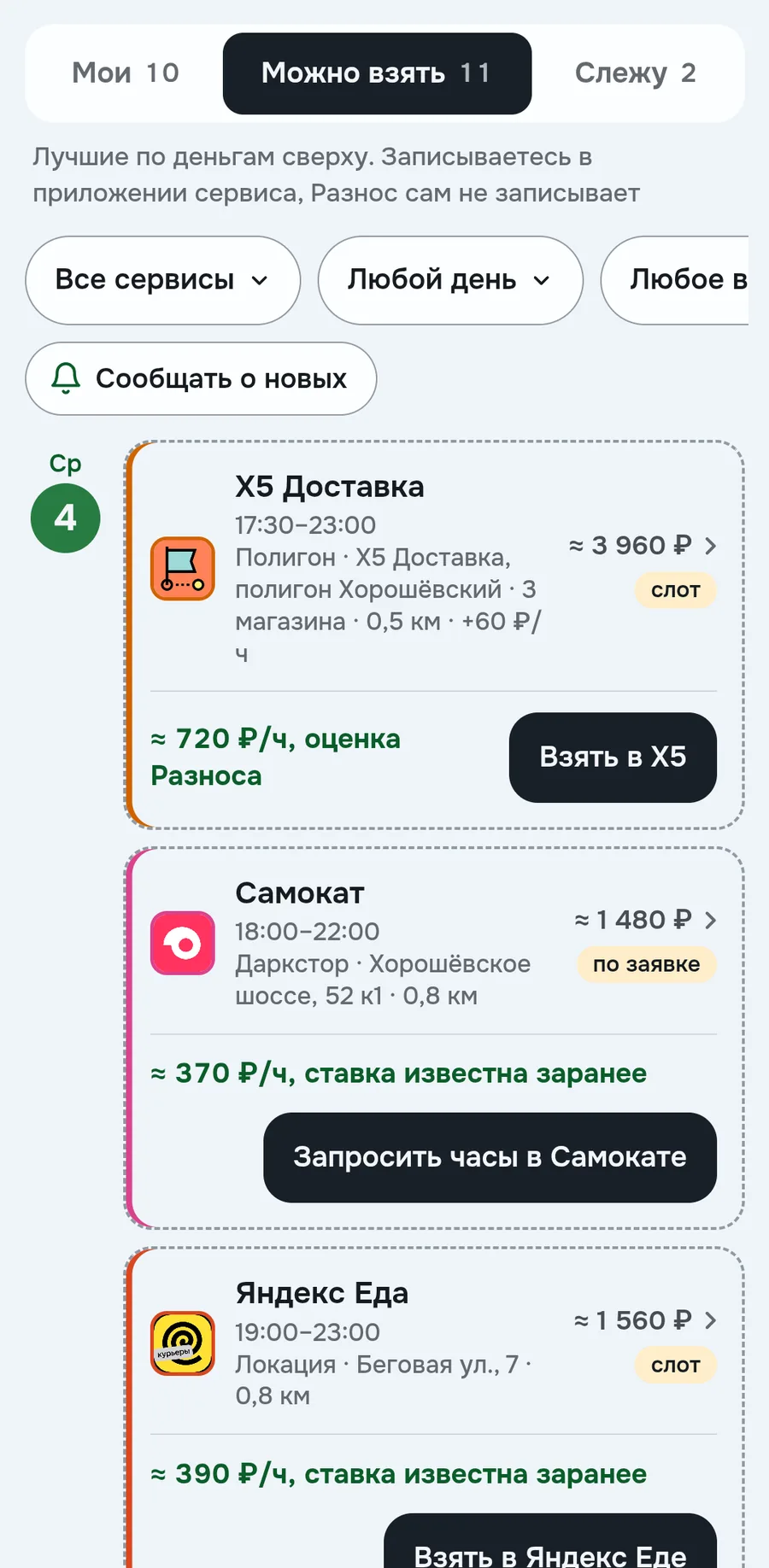
Here are the week's free slots, the most profitable on top. A slot is a shift in a service that you book in advance. In the screenshot X5 Delivery comes first, ≈ 3 960 ₽
Filters keep the services, days and times of day you need. The button on a slot, for example Take in X5, opens the service's app on that shift. Once Raznos sees the booking, the slot goes into Plan on its own
The Notify bell sends a notification about new slots. Rules are set up in Profile
A notification when the shift you need frees up
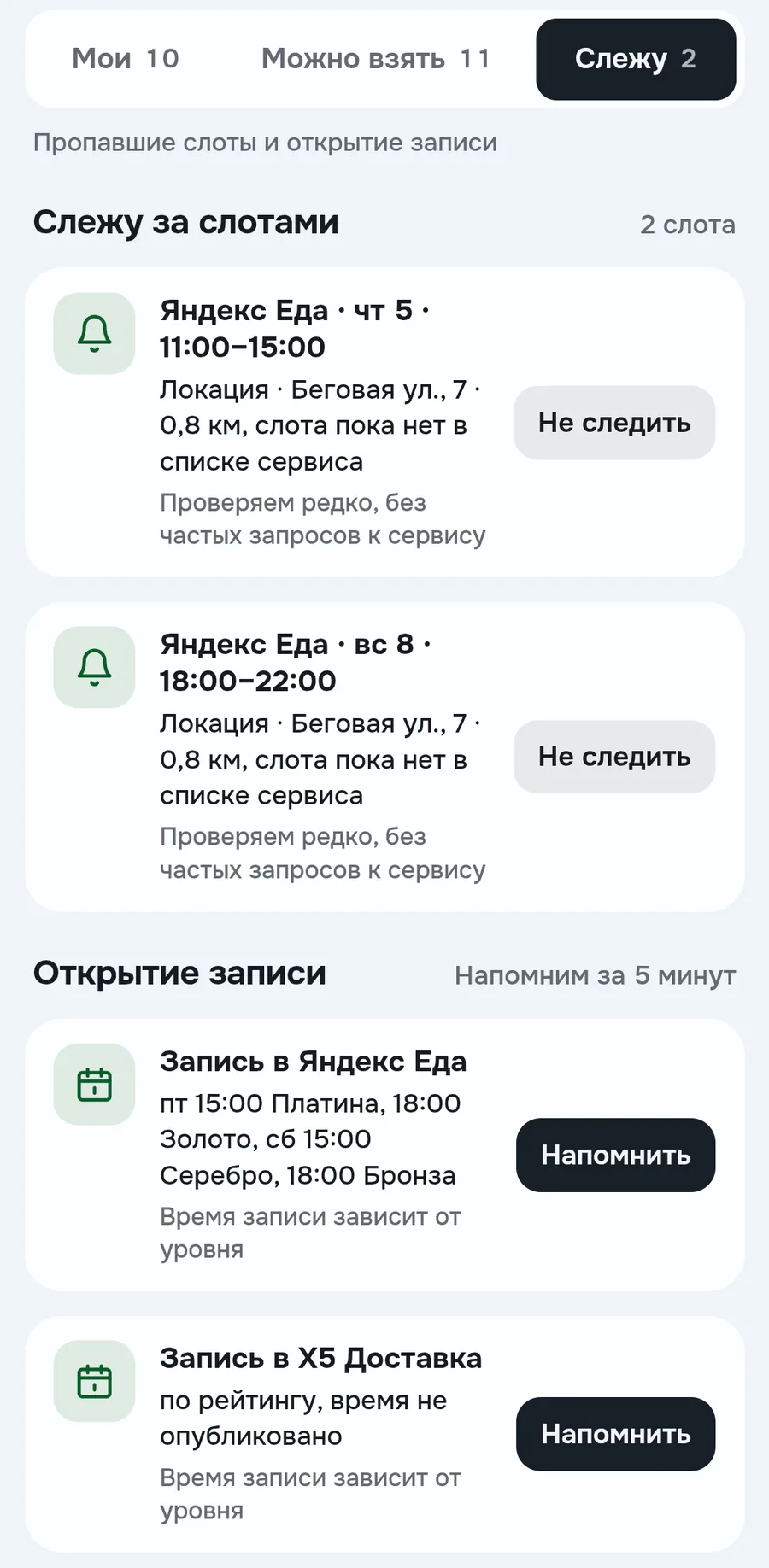
Good slots get taken fast. If the one you need is gone, tap Watch: when it shows up again, you'll get a notification. Not all services support watching
Below, when booking opens for your level, for example Fri 15:00 for Platinum. Remind me sends a notification 5 minutes before it opens
How the numbers are calculated
- By plan
- earned since Monday plus bookings, requests and plan windows until Sunday. A request is a booking the service hasn't confirmed yet, it counts as an estimate
- Window or slot amount
- approximate ₽/h from orders of Raznos couriers nearby over the last 4 weeks, multiplied by hours. For example, 5,5 h at ≈ 720 ₽/h gives ≈ 3 960 ₽
- Gain on Rebuild the day
- the difference between the best option and the current day
- Replacement result
- new shift minus the old one, minus the cancellation fine and minus the bonus that's lost with the old shift. If the result isn't positive, we don't recommend switching
- You will not make it
- the end of one shift plus travel gives a time later than the start of the next. For example, a shift until 03:30 and 20 minutes of travel mean you arrive at 03:50
Where the data comes from and what others see
Bookings, requests, slots and bonuses come from connected services. For data and privacy in general, see Where the data comes from. If a service's data isn't the latest, it says next to it what time it's from
₽/h rates are calculated from orders of Raznos couriers nearby. Your bookings go into shared numbers only anonymously, for example into a line saying there are more couriers than usual at that time
FAQ
Will Raznos book a shift for me?
No. The button opens the service's app on the right shift, you book it there
Why is there a window in the plan I'm not booked for?
It's a tip on where you can go work. You can remove the window. If you want to build the day yourself, switch it in Plan settings
Why is the slot still free even though I took it?
Raznos will see the booking when it updates the service's data. After that the slot goes into Plan
Why do the numbers in the plan have a ≈ sign?
These are estimates from orders of Raznos couriers nearby, not a promise from the service
Numbers on the screens are examples, the app will show yours