 Raznos
Results: how much you earned and from what
Earnings from all services in one total: how much is left Net, where it pays more to work, when the money arrives and how much to set aside for tax. You choose the period: day, week, month, year or your own dates
How much is left after all deductions
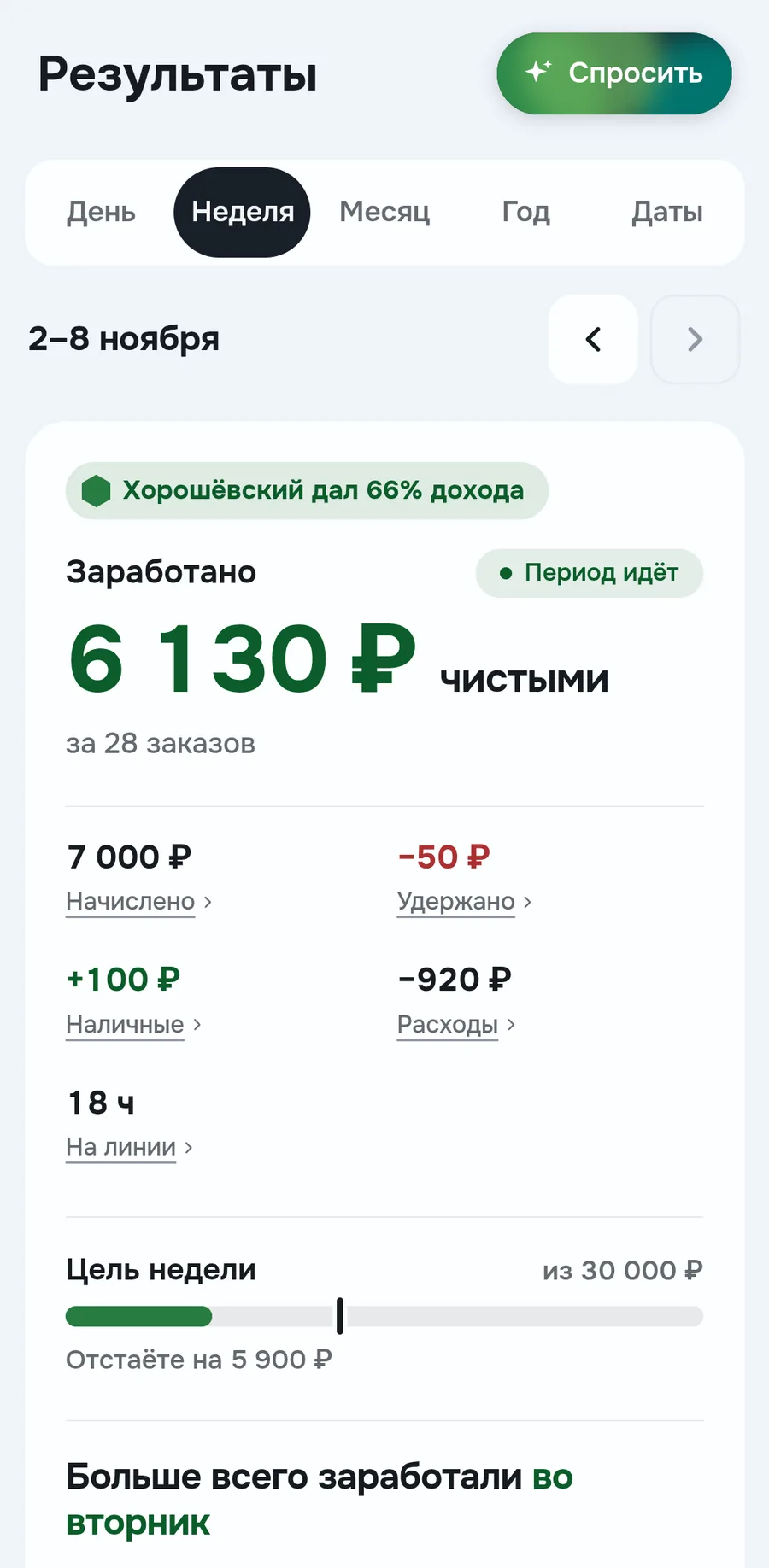
The main amount shows what's left after deductions and expenses. In the screenshot 6 130 ₽ Net for 28 orders. Below the amount you see what it's made of
The Weekly goal line compares earnings with the goal from Plan. A mark on the bar shows how much you should have by today. Below the bar it says how far behind or ahead you are
Which service and district brought more
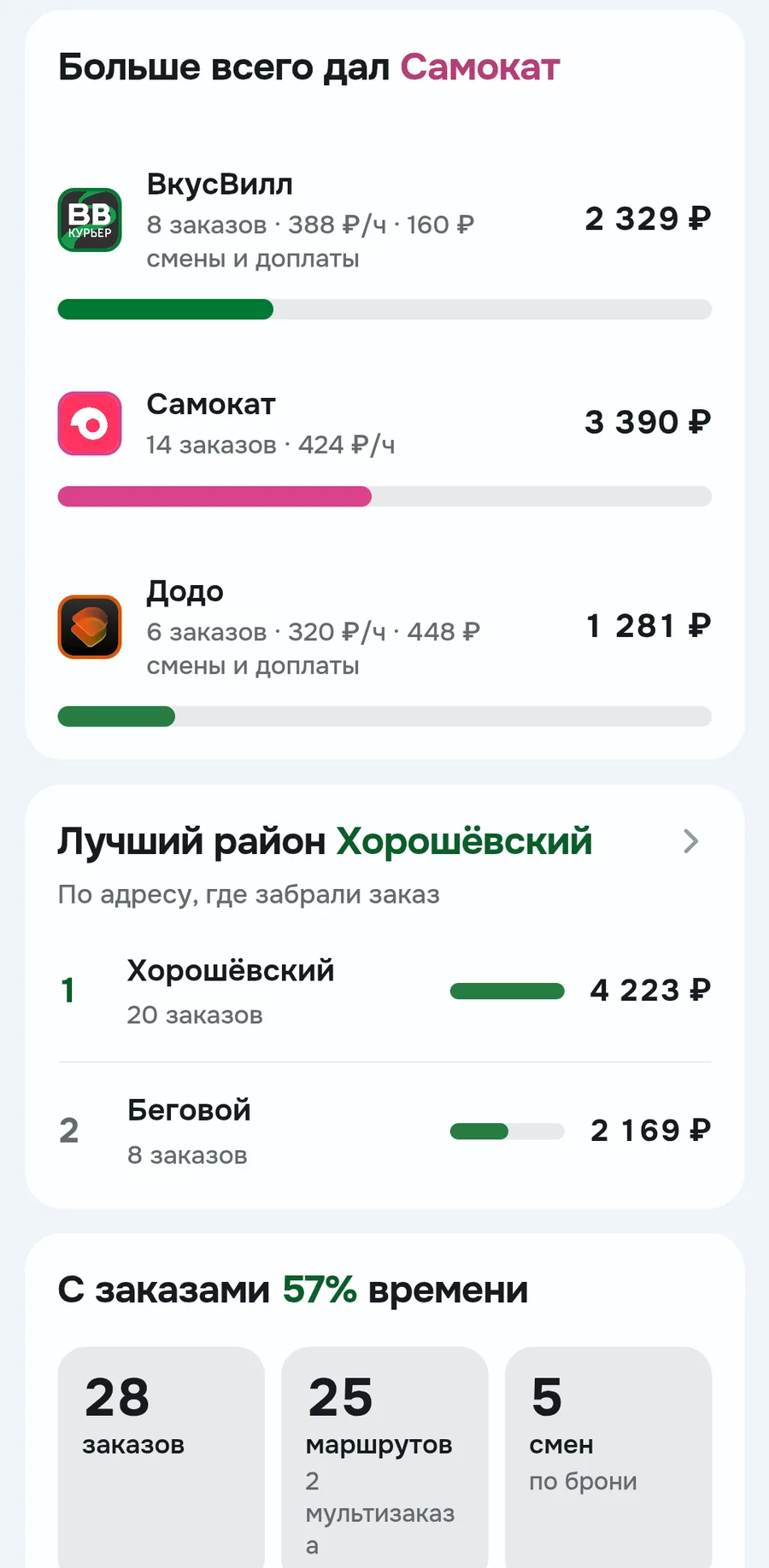
Here you see where it pays more to work. In the screenshot Samokat gave 424 ₽ per hour, and VkusVill only 388 ₽
Best district is based on the address where you picked up the order. Tapping a service or district opens orders for the period for it only
When the money arrives
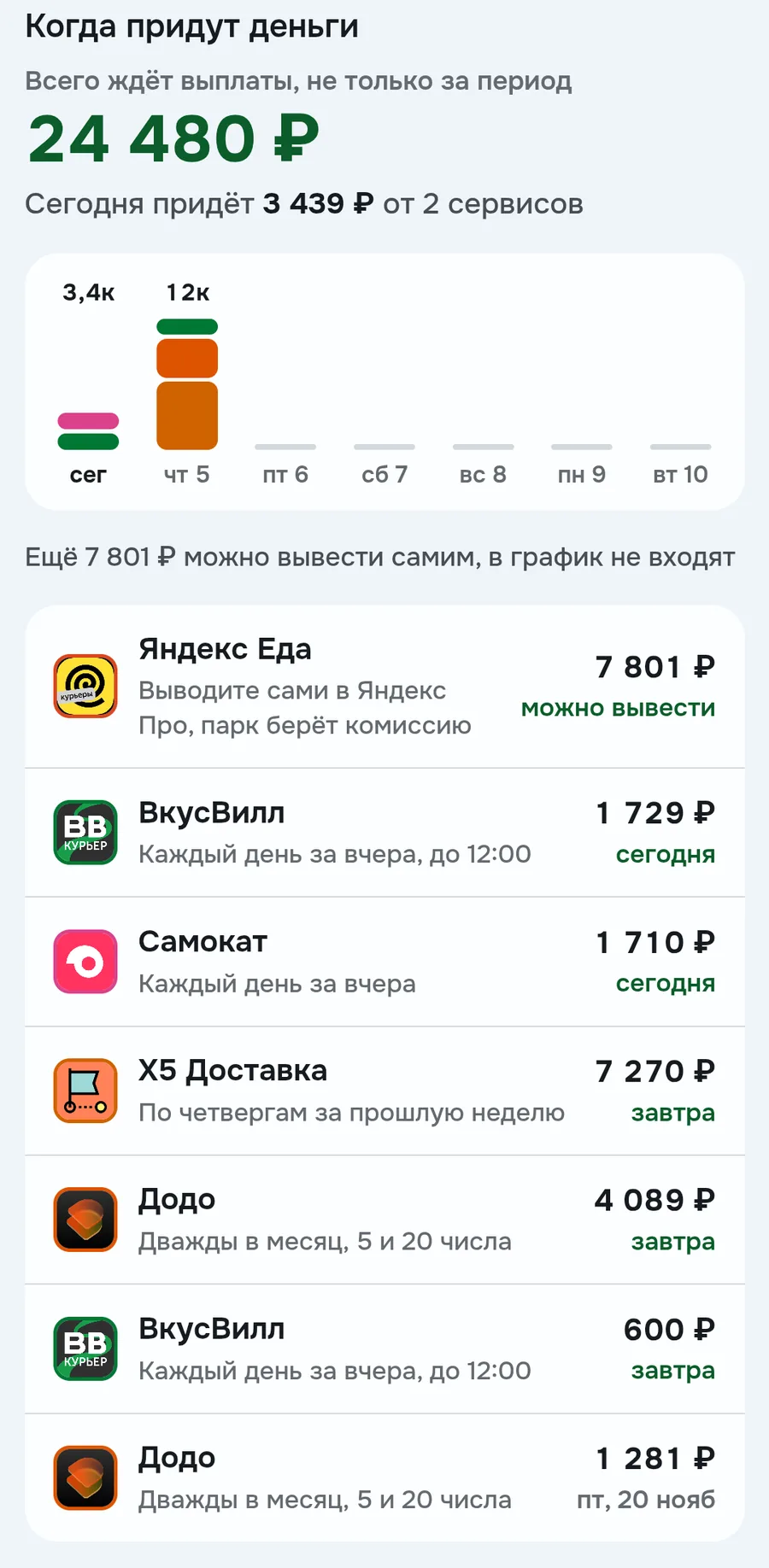
All future payouts in one place: how much is awaiting payout and what arrives by day for the week ahead
In the list each service has its rule and the nearest date, for example VkusVill pays daily for the day before, and Dodo on the 5th and 20th. Money you withdraw yourself, for example from Yandex Eats through Yandex Pro, is a separate line and isn't in the bars. A delay shows in the Awaiting payout line on Today
Where the money went: fines and expenses
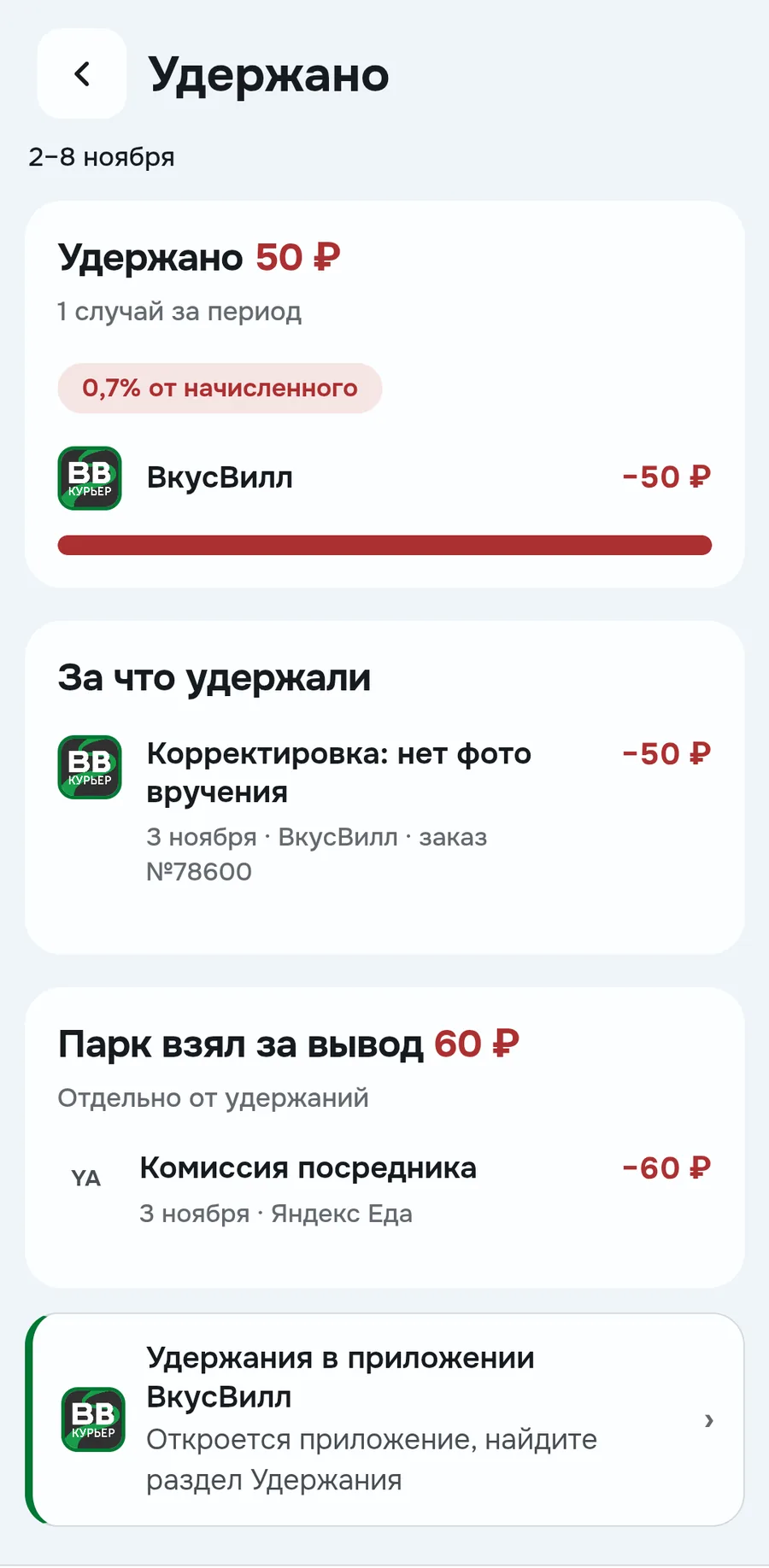
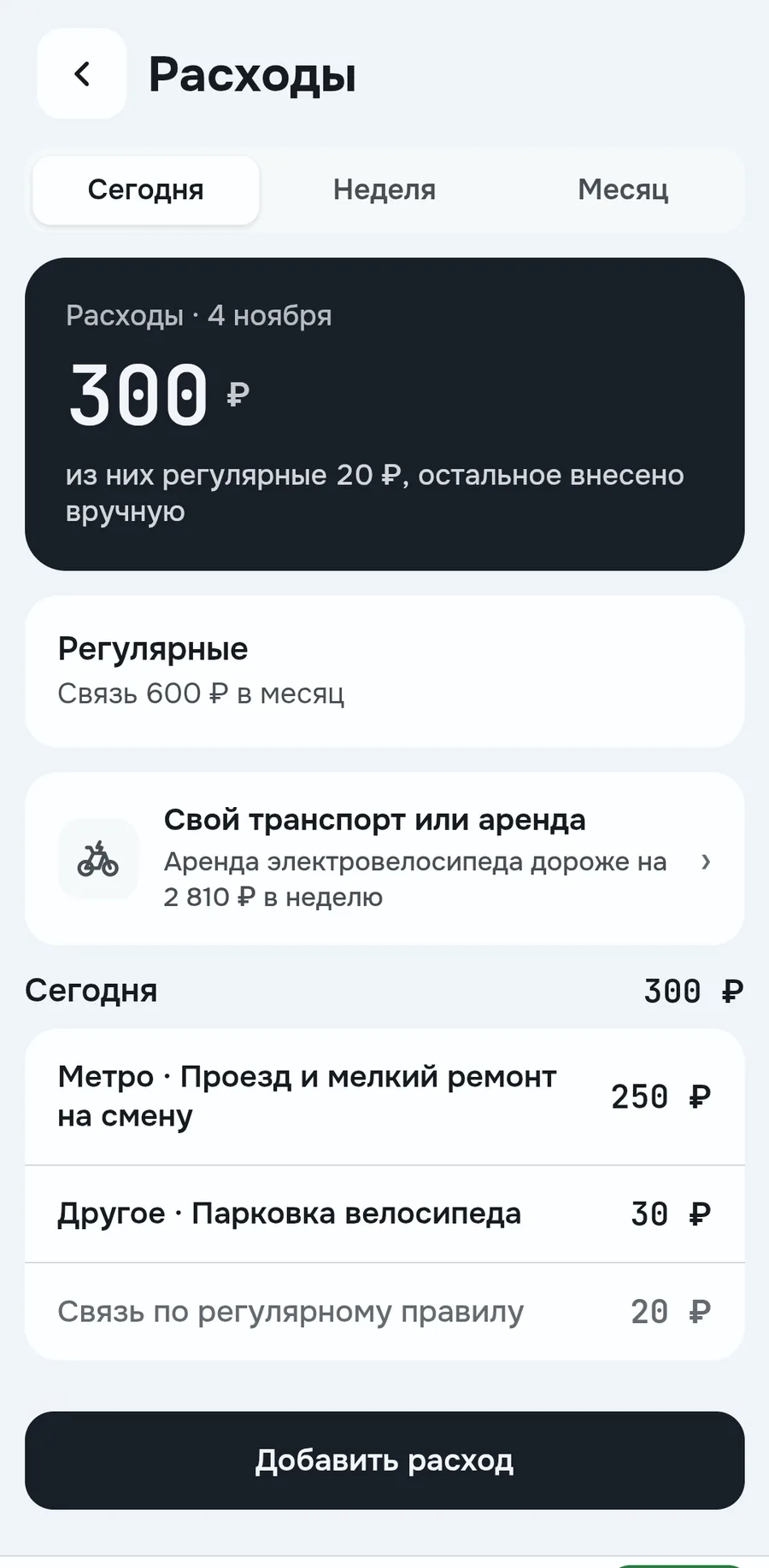
Here you see how much of your earnings went to deductions and expenses. Tapping Deducted shows how much the services took, for what and for which order. The fleet's withdrawal fee is shown separately
You enter expenses yourself: amount, a category like Metro or Phone and a comment. Regular spending is set once, for example Phone 600 ₽ a month, and it's split by day. The Own vehicle or rental line compares what your own vehicle costs and what a rental would cost
Until expenses are fully entered, the main amount stays Accrued, not Net. That way an incomplete count isn't passed off as net
How much to set aside for tax
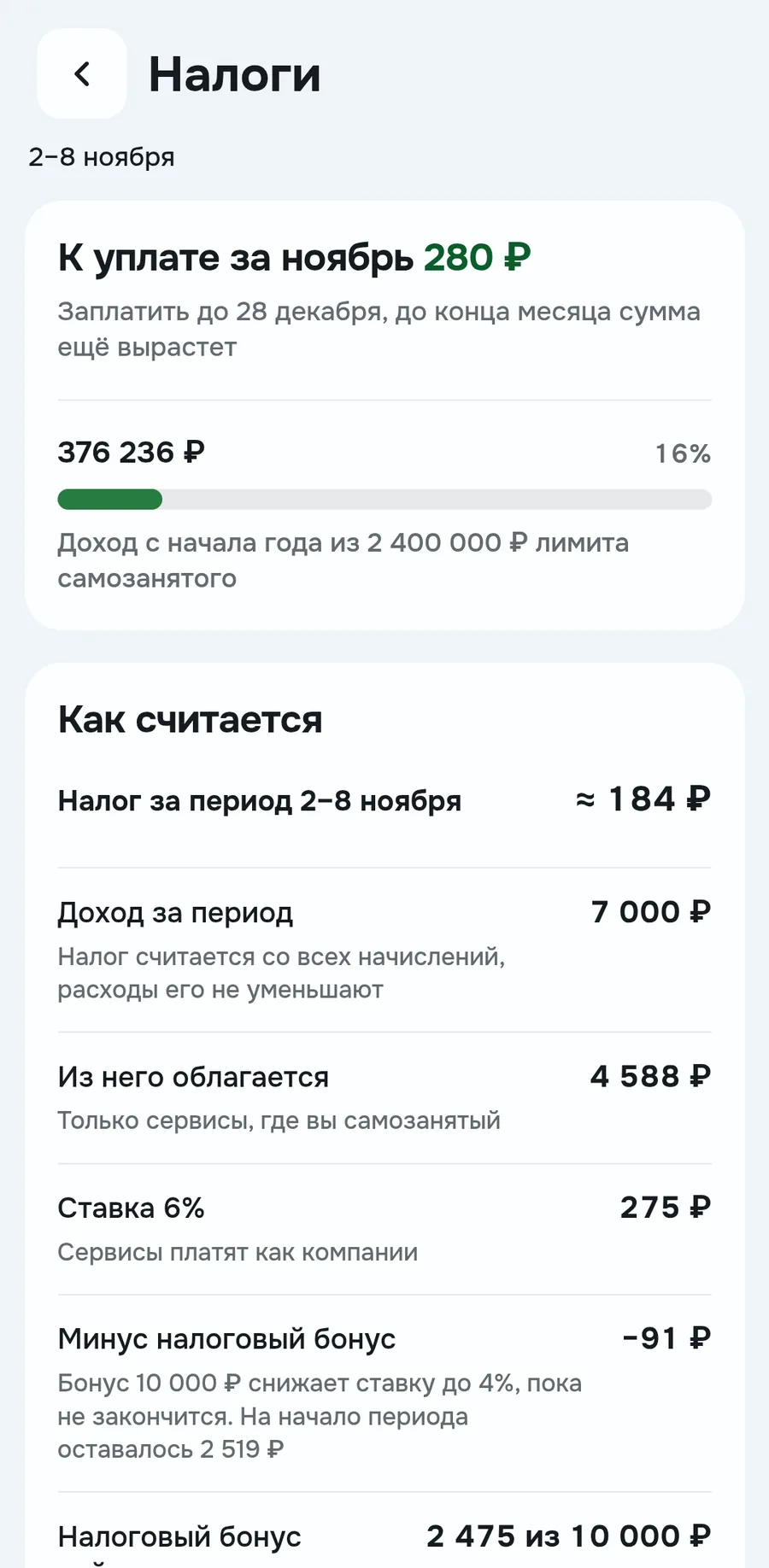
If you're self-employed, Raznos calculates the tax in advance. In the screenshot, 280 ₽ to pay for November, the amount will still grow by the end of the month. Next to it, income since the start of the year and the 2 400 000 ₽ limit
Tax is taken only from services where you're self-employed. Expenses don't reduce it. The rate is 6%, the tax bonus lowers it to 4% while the bonus lasts. The calculation is preliminary, the exact amount and receipt come from the Moi Nalog app
Comparison with past weeks and other couriers
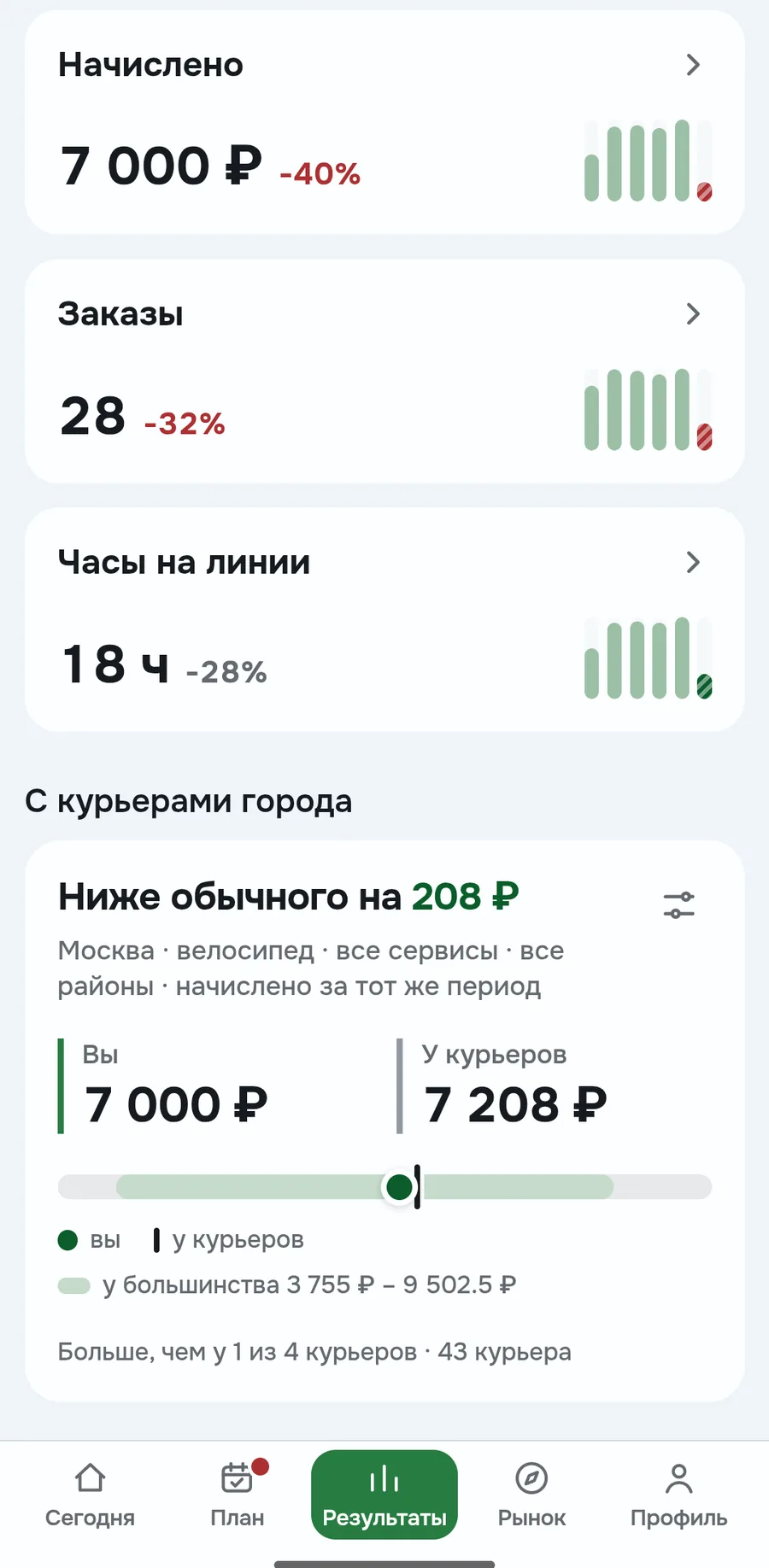
Here you see if your income is growing and how much others get. The main screen has one takeaway, for example Less than half of Moscow couriers. Below, three metrics: hourly income, income per order and orders per hour. Each shows the change from the previous period
In the details each metric has bars for the last six weeks. At the bottom, your accrued next to the usual for couriers in the same city and transport. The current week is compared with the same days of the previous one
How the numbers are calculated
- Accrued
- same as on Today, for the selected period
- Net
- same as on Today, for example 7 000 + 100 − 50 − 920 = 6 130 ₽
- Hourly income
- as on Today, for example 7 000 / 18 ≈ 389 ₽/h
- Paid
- how much has already arrived after deductions, the rest is awaiting payout
- Tax for the period
- 6% of self-employed income minus the tax bonus: 275 − 91 = 184 ₽ for the week
Where the data comes from and what others see
Accruals, orders, hours and payouts come from connected services, more in Where the data comes from. If there's no data for a day, it says No data, not zero. A day without orders shows as 0 ₽
Only you see cash tips and expenses, they aren't part of the city comparison. You're anonymous by default, see public profile
FAQ
Why Net is less than what landed on my card
Net isn't the money on your card: expenses are also taken out of it. What has already arrived, see the Paid line on the Money screen
Why the tax on the card and in the weekly calculation differ
The card shows the payment for the whole month, and the calculation only for the selected period
Can I change the goal right in Results
No, the weekly goal is set in Plan. The monthly and yearly goal is calculated from it by the number of days
Who am I compared with
With couriers in the same city and transport, by accrued for the same period. The service and district for comparison are changed with the settings button on the card
Numbers on the screens are examples, the app will show yours